Introduction
The steps detailed below can be used to fault find on issues where the following products cannot utilise standalone licences :
- S3GRAF, including S3GRAF3D and S3GRAF-HPG
It is assumed, the standalone licences have been provided and installed as per the steps detailed here:
Standalone licence installation
Uninitialised Standalone Licence
This dialog can be displayed when either a Dongle or Standalone licence has been installed:
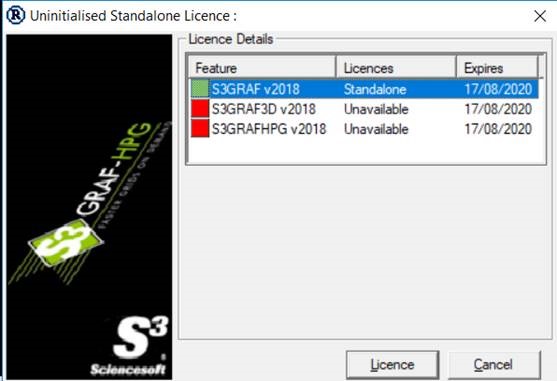
This is caused by a Sentinel file not being correctly registered as part of the installation process. Please follow the steps below to resolve this issue:
- Close S3GRAF if it is running
- Navigate to the installation folder fro S3GRAF using Windows Explorer. This is usually:
C:\Program Files (x86)\Sciencesoft Ltd\S3GRAF v<yyyy.version> - Identify the lsinit<yyyy>.exe. Right click on this and select run as administrator.
Note nothing will appear to have happened. However files are registered in the background. - Launch S3GRAF by right clicking on the icon on the desktop and selecting Run as administrator from the drop down list. This is only required the first time S3GRAF is launched.
Note this issue can be displayed after a Dongle or Standalone licence has been installed.
If further issues are displayed, please contact Sciencesoft Support with any error displayed.